THE MISSION  5 harbors on watch before the iOS app launches. 1 live, 4 spots open. Claim yours →

The harbor is talking.
Are you listening?

DockTalk listens to marine VHF radio around the clock: Coast Guard rescues, tug captains threading a channel, kids sneaking onto Channel 16. AI turns it into moments you can hear, watch on a live map, and follow as they unfold.

The iOS app is almost here. Be first through the hatch.

What DockTalk does

Marine radio is 23 hours of routine and one hour of the most real audio on earth. Nobody can sit and listen all day, so our AI does, on every channel at once. Here's the app, exactly as it looks.

THE FEED

The harbor's best stories, updating in real time

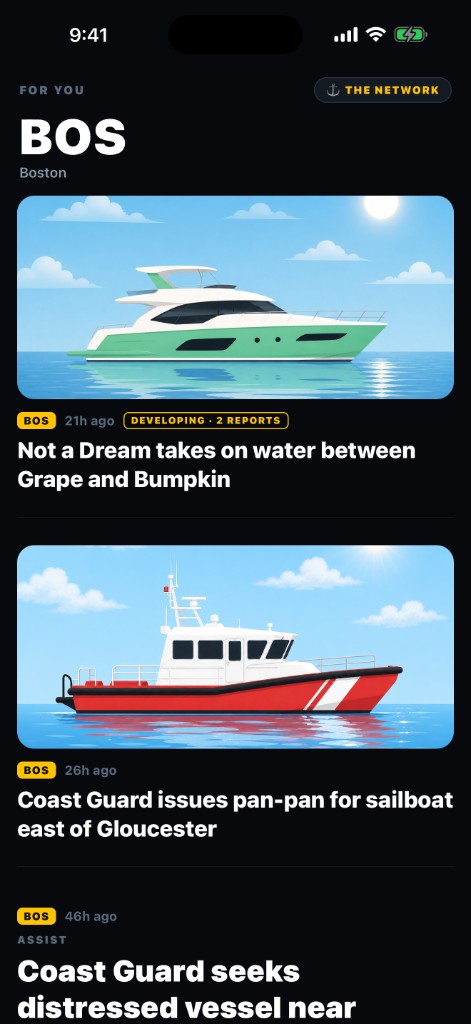
Open the app and the day's most gripping radio is already waiting, headlined, summarized, and ranked by AI minutes after it hits the air. A boat taking on water, a pan-pan east of Gloucester, kids sneaking onto Channel 16. Developing incidents grow chapters as new reports come in, so you follow the story, not the static.

The DockTalk home feed with AI-curated stories
The feed: fresh stories, around the clock
THE LIVE MAP

Every ship on the water, moving live

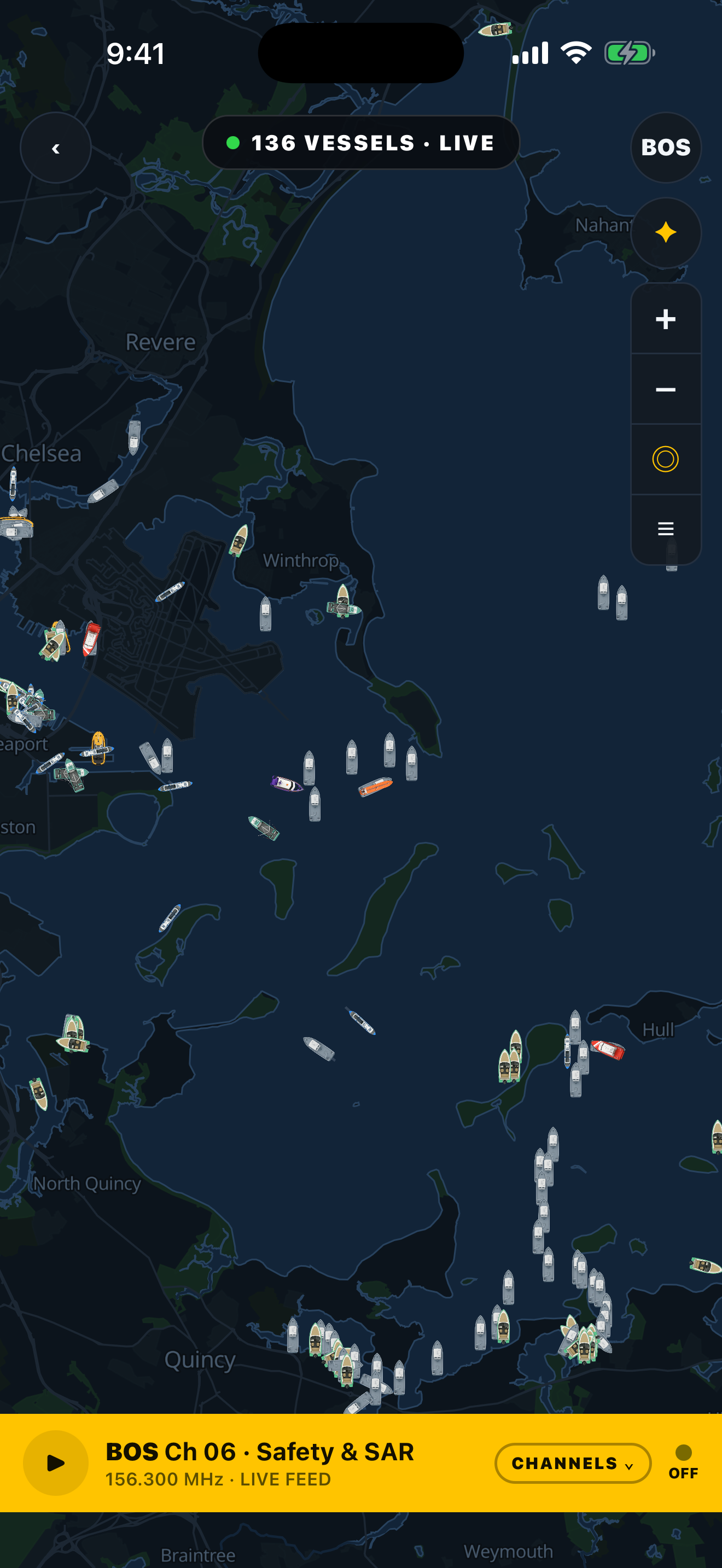
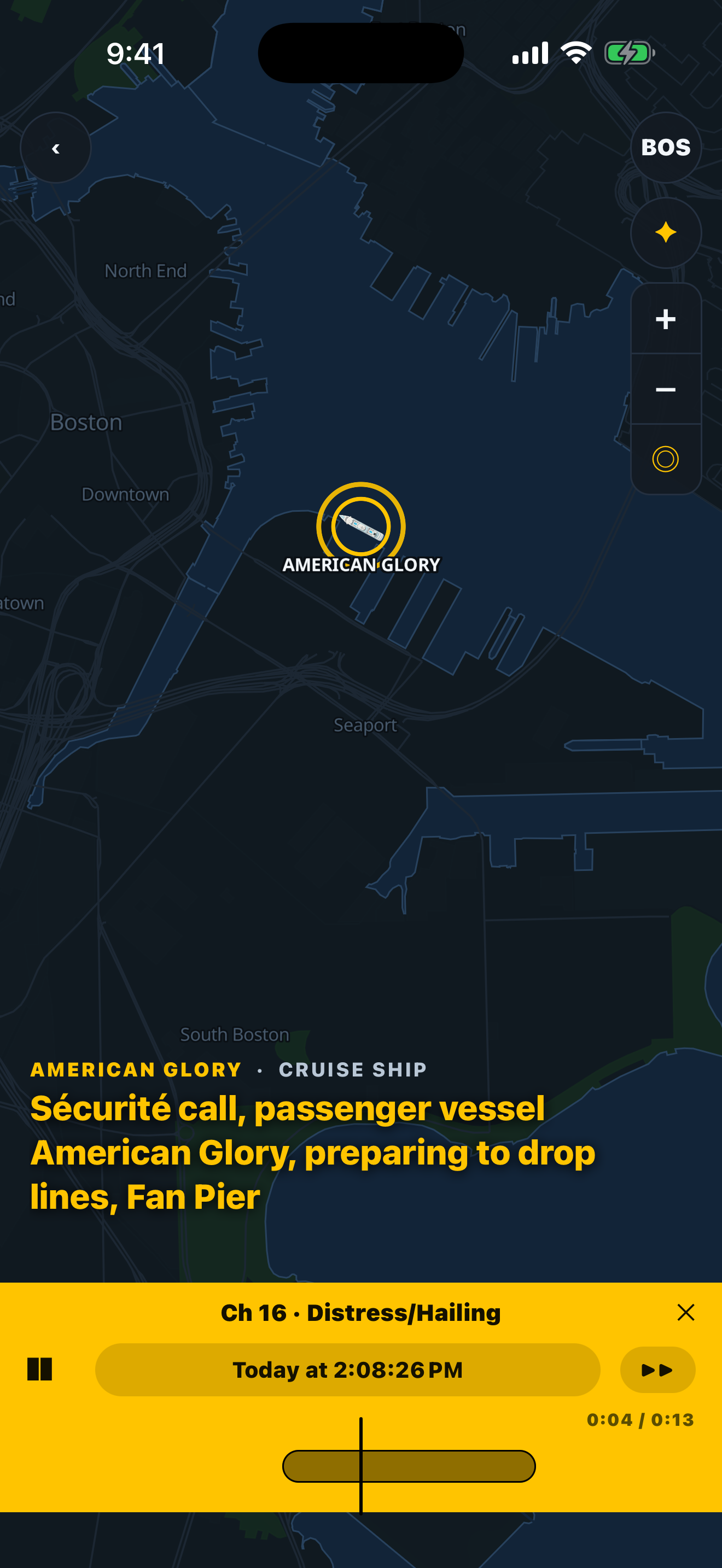
A real-time chart of the whole harbor, every ferry, tanker, tug, and fishing boat, and you can listen to any of the 16 working channels while you watch. When a vessel keys its mic, it lights up on the chart with live captions, so you always know who's talking and where they are.

Live Boston Harbor map with 136 vessels
136 vessels, live
A ship lights up on the chart during a Sécurité call
The speaking ship lights up
TRY IT: REAL AUDIO

Moments replay right on the chart

This one is not a screenshot. It's a real rescue our Boston receiver captured on Channel 16: Not a Dream, seven aboard, taking on water between Grape and Bumpkin Islands. Press play: the captions run, whoever's talking glows on the chart, and you can drag the tape to scrub. This is exactly what a moment feels like in the app.

  REPLAY · BOS CH 16
0:00
▲ Press play, drag the tape

Powered by people on the water

Every harbor needs one thing: a small receiver near the water. Host one and your node becomes that harbor's ears, with your name on everything it hears first.

Free premium, forever

While your receiver is on watch, your DockTalk subscription is on us. The network exists because of hosts. Hosts don't pay.

Your name in the credits

Moments your node captures first are credited to it in the app, and the network leaderboard ranks nodes by hours on watch and moments heard.

Zero maintenance

Plug it in and forget it. Health checks, updates, and channel plans are managed remotely. If it goes offline, it recovers on its own.

PRIME SPOT? THE HARDWARE'S ON US.

Waterfront home, marina office, liveaboard slip, a rooftop with a clear shot at a busy harbor we don't cover yet: for locations like these we pay for the entire kit and ship it to your door. Apply below and tell us about your view; if the spot is right, it costs you nothing but a power outlet.

THE NETWORK · LIVE LEADERBOARD

Every node, ranked by time on watch. This is live, and one name is getting lonely up there. Ranks are earned the old way, hours on watch, from Deckhand all the way to Commodore. Every seat below is open:

loading the network…

Just plugged yours in? This page is your proof: your node appears within a minute of joining, and each channel chip turns green as its audio starts flowing.

Already run an AIS or ADS-B station? You're 90% there.

If you feed aisstream.io, MarineTraffic, VesselFinder, or FlightAware, your rooftop already has the two things that matter: a sightline to the water and an always-on Pi. DockTalk doesn't touch your existing feed. AIS is position data; we collect the other layer. The voices.

Keep your feeds exactly as they are

Marine VHF voice (156 to 157.4 MHz) sits right next to the frequencies your antenna already covers. Add one $45 dongle, or a spare Pi, and you're a DockTalk node too.

Straight talk

DockTalk is a company, not an open-data project, so audio goes only to our network. In exchange: hardware free for good sites, lifetime Pro, first-heard credit on every moment, and a say in what we build.

The entire setup is one command

Your claim code comes from the application below. Fill it out (30 seconds), and if your site qualifies we email you a one-use code like DT-7K2M-P9XW. Paste this on the Pi with your code. It installs everything, pulls your harbor's 16-channel plan, joins the network, and puts your name on the leaderboard. Ten minutes, hands off.

$ curl -fsSL https://docktalk.app/install | sudo bash -s -- --claim DT-XXXX-XXXX

No Pi? The command isn't picky. It runs on any Debian or Ubuntu Linux machine with a free USB port: the old laptop in a drawer, a mini PC, the home server in your closet. You still need the receiver dongle and antenna from the kit list below, about $112. Only have a Mac or Windows machine? Grab the $53 Pi from the kit. It is the cheapest computer you can leave on 24/7 anyway.

Request a claim code

The kit

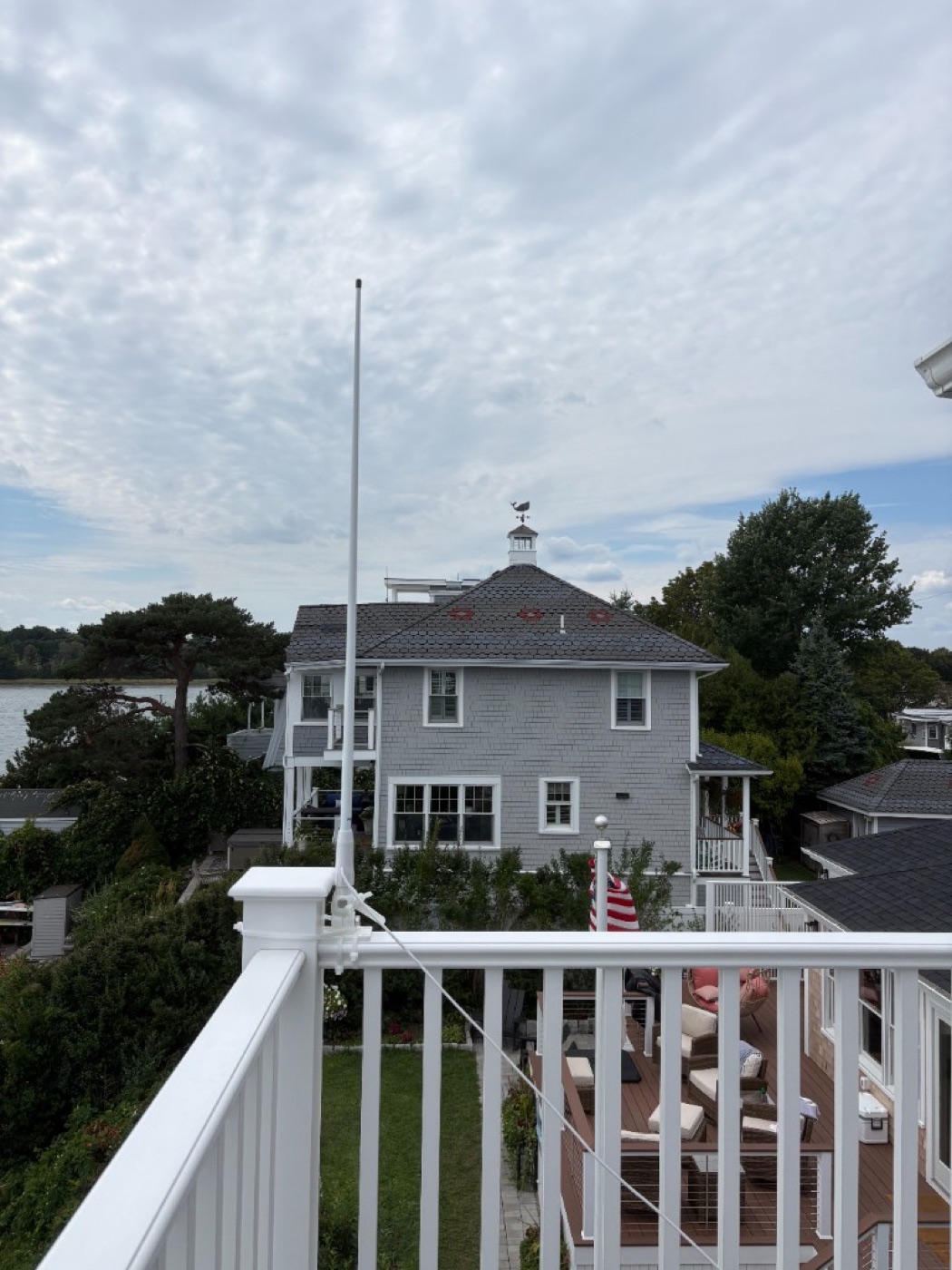
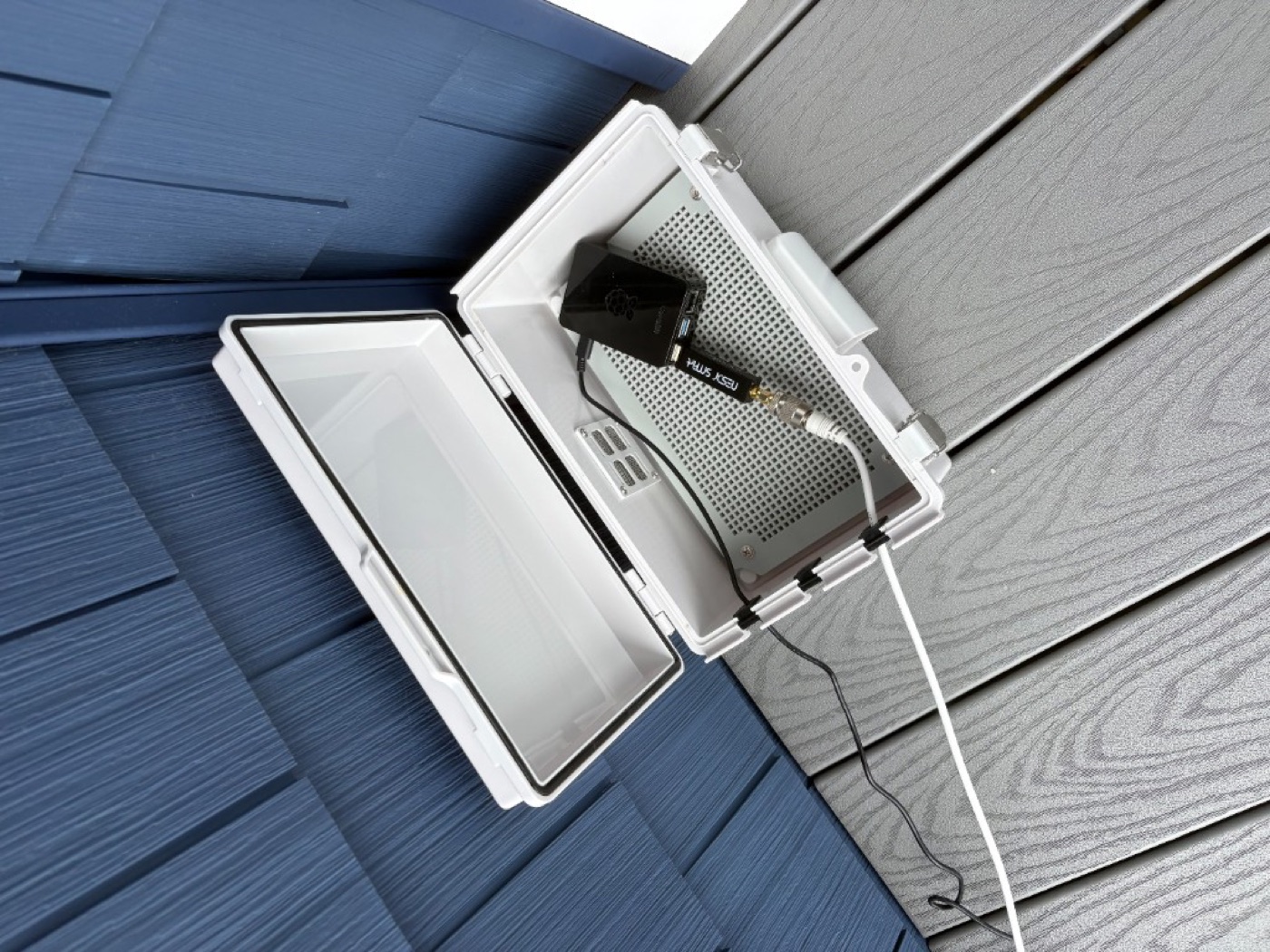
This is node 1, the receiver covering Boston Harbor right now from a house in Hull, MA. About $165 of off-the-shelf hardware, no soldering, no tools. Every connector is hand-tightened.

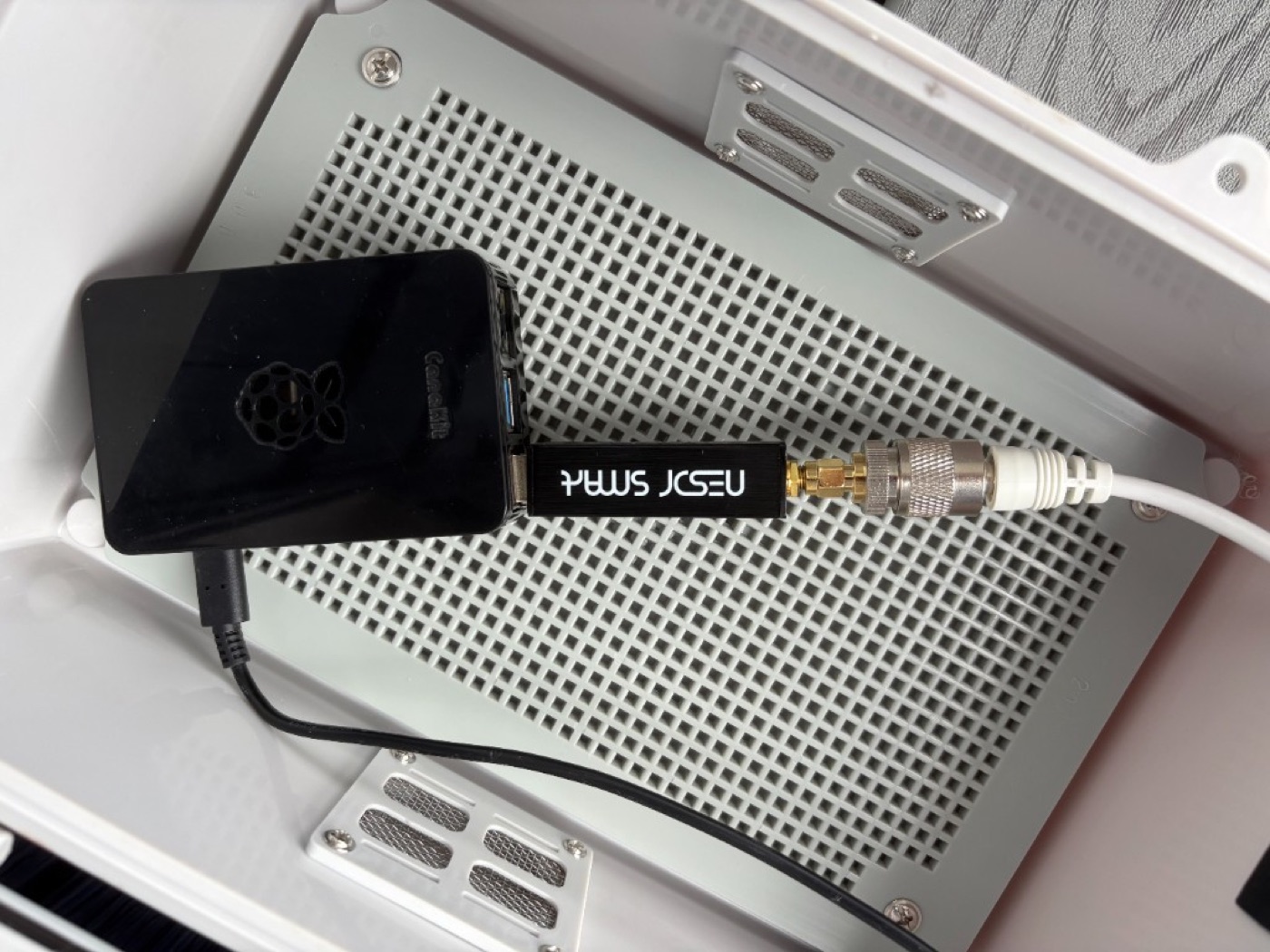
Raspberry Pi with SDR dongle and antenna adapter
The whole computer: a Raspberry Pi + receiver dongle
Marine VHF antenna with attached cable
The antenna, cable already attached out of the box
Antenna at a window facing the harbor
Set by a window facing the water. That's it, it's on watch

End to end: from the airwaves to your phone

SDR PI DOCKTALK ANTENNA 23 FT CABLE ADAPTER DONGLE RASPBERRY PI WIFI OUR SERVERS THE APP

The exact parts. Tap any piece for Amazon

Apply

Fill out the form below. You'll know instantly if your spot qualifies. We reply with your personal claim code.

Set up the Pi

Flash Raspberry Pi OS onto the card with the free Raspberry Pi Imager. When the Imager asks, type in your WiFi name and password and turn on SSH (both are checkboxes, five minutes total). Card into the Pi, dongle into the Pi, antenna up high facing the water, power on.

Paste one line

From any computer on your WiFi, open a terminal and type ssh yourname@raspberrypi.local (the username you picked in the Imager). You're now inside the Pi; paste the single install command we send you. Ten minutes later it prints VERIFIED, your harbor's 16 channels are flowing, and your name is on the leaderboard.

Host a receiver

Tell us about your spot. Marine VHF is line of sight, so what matters is simple: how close to the water you are and where an antenna can live. You'll get an instant read on whether your site qualifies.